|
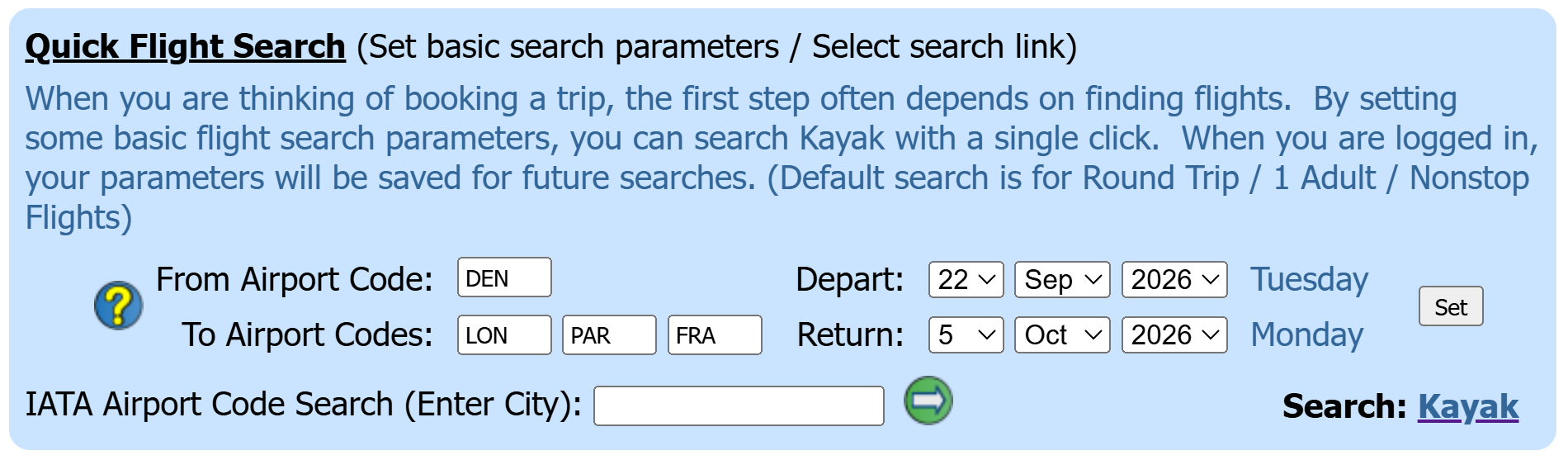
When you are thinking of booking a trip, the first step often depends on finding flights. You most likely return to your favorite flight search website to enter search parameters and check flight prices. Many of these sights allow you to create an account and set notifications when price drops occur for your saved searches. However, you probably find yourself returning and checking anyways. To simply the flight search process, you may set some basic flight parameters on the homepage such as your origin, destination (up to 3 destinations) and your best guess for departure and return dates. Once set, select the Kayak link to perform a flight search based on the parameters. We have defaulted the search for Round Trip, 1 Adult, Nonstop flights. This will give you an idea of current flight prices. When you see something you like, it may be time to book or perform additional searches with adjusted parameters. We chose Kayak because we like Kayak. Kayak provides a search of multiple websites and consolidates the results in a single display. There are several other sites that perform the same type of search and consolidation. When you are logged in to your account, your search parameters will be saved for future searches, not requiring reentry. From then on, every time you are on the homepage, you can select the Kayak link to perform the same search to check flight prices. Our Search Example We have entered the departure and return dates as well as our 'From City Code' of DEN (Denver). We have also entered our 'To City Codes' of LON (London), PAR (Paris) and FRA (Frankfurt). You may enter from 1 to 3 'To' city codes.
IATA Airport Code Search (Enter City):
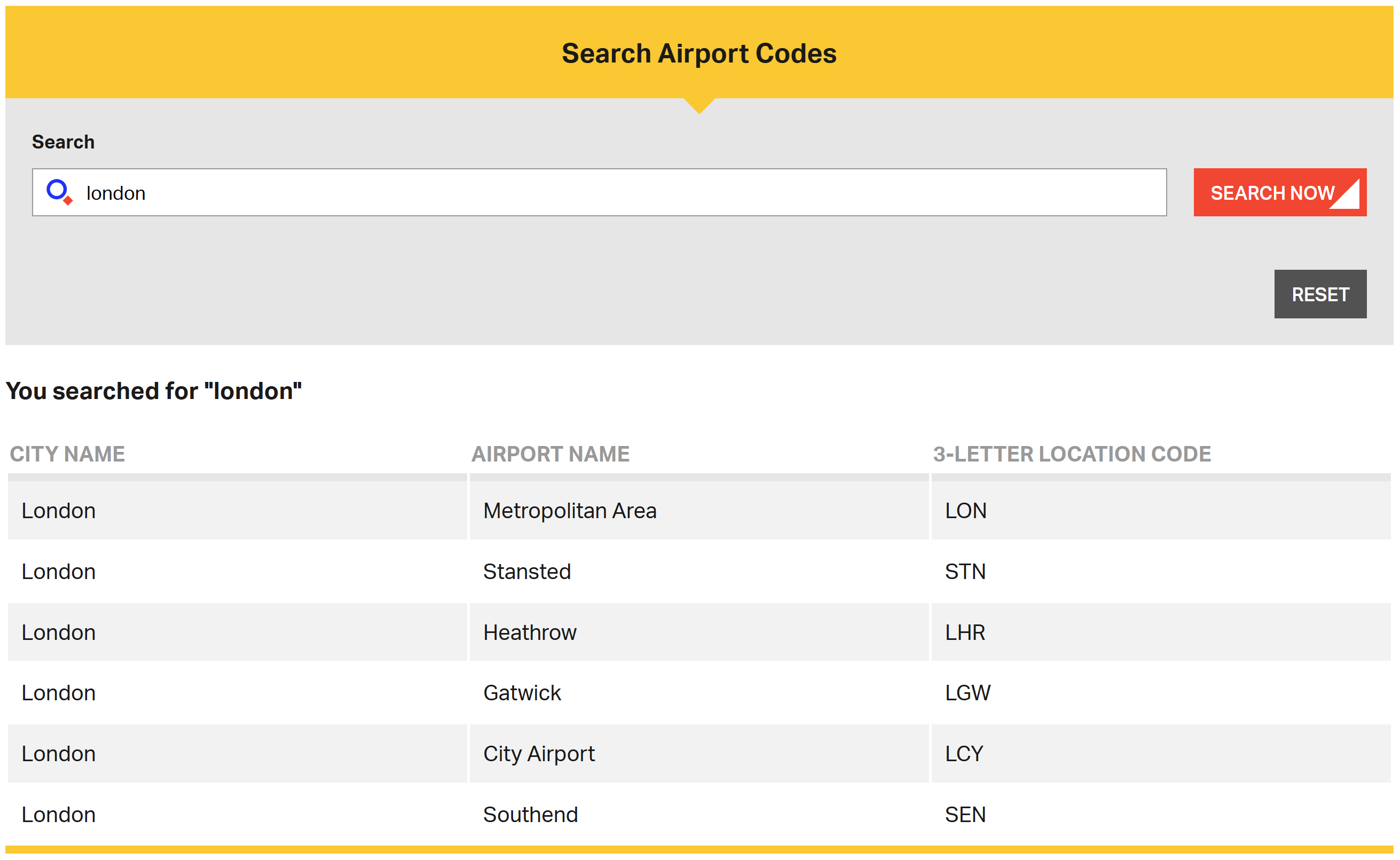
When linking to Kayak to perform searches, you will need to enter 3 character city or airport codes. If you don't know the codes, you can perform an IATA search by entering the city name in the 'IATA Airport Code Search (Enter City)' field. In our example, we have entered 'london' and selected the
On the IATA website, you will see the related codes.
As we are flying from Denver, we know that we will be flying to LHR (London Heathrow), so we could enter LHR as a 'To City Code' parameter. In our example, we chose to enter LON as this will give the same results. If you enter the general city code such as LON for London or PAR for Paris, Kayak will search all airports in the London or Paris area.
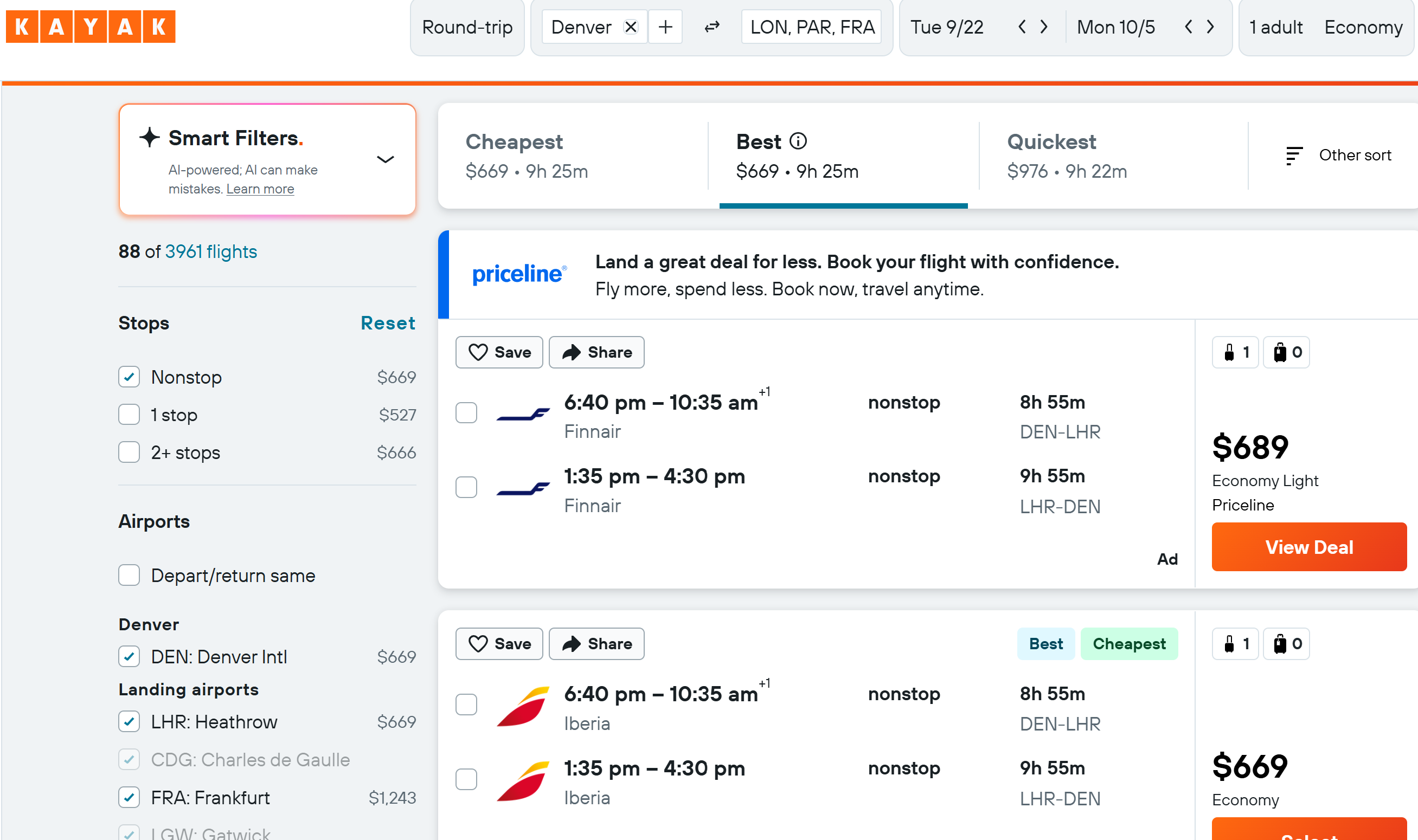
Selecting the Kayak link will search for flights from Denver to London, Paris and Frankfurt for our entered dates.
|
 icon.
icon.